| Lesson 2 | Physical structure |
| Objective | Define the Physical Structure of Active Directory. |
Logical Versus Physical Structure
Active Directory Domain Services (AD DS) is typically described using two complementary views: logical structure and physical structure.
- Logical structure answers: “How do we organize identity and administration?” This is where you design forests, trees, domains, organizational units (OUs), and apply policy and delegation.
- Physical structure answers: "Where does authentication happen, and how does replication move across the network?" This is where you design domain controllers (DCs), sites, subnets, and site links to control logon efficiency and replication traffic.
A key principle: sites and domains are independent. A single domain can span multiple sites, and a single site can contain domain controllers from multiple domains. You map sites to network topology, not to your DNS namespace or domain boundaries.
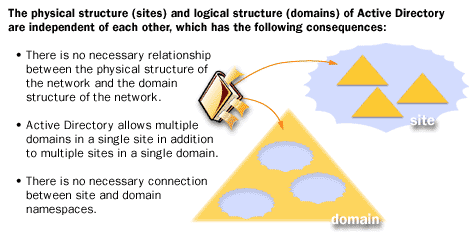
- No required relationship between physical network topology and domain structure
- Multiple domains can exist in one site, and one domain can span multiple sites
- No necessary connection between site naming and domain namespace
Physical Structure, Replication, and Logon
The physical structure of AD DS defines where and when logon and replication traffic occurs. When site and subnet mappings are accurate, clients discover and authenticate to nearby domain controllers, and replication is scheduled and optimized for WAN links. When mappings are wrong, you can see slow logons, excess WAN traffic, and replication delays.
In practical administration, physical structure knowledge is a troubleshooting multiplier: it helps you interpret replication health, explain inconsistent logon behavior, and predict how quickly changes (password resets, group membership updates, GPO changes) converge across the environment.
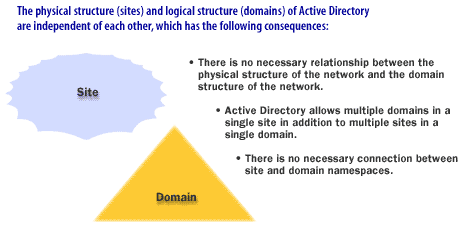
- No necessary relationship between physical structure (sites) and domain structure
- Multiple domains can exist in one site, and one domain can span multiple sites
- No necessary connection between site naming and domain namespace
Core Physical Components
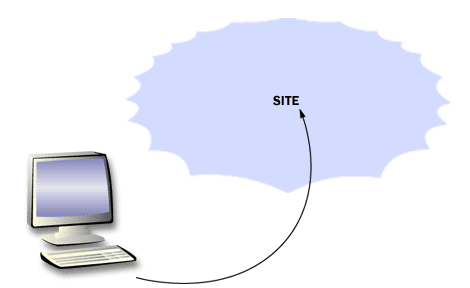
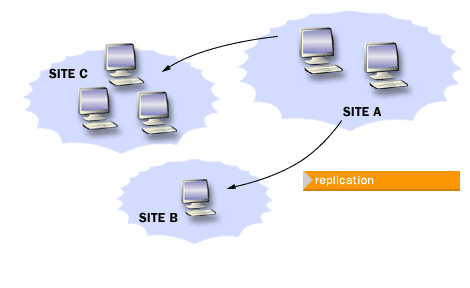
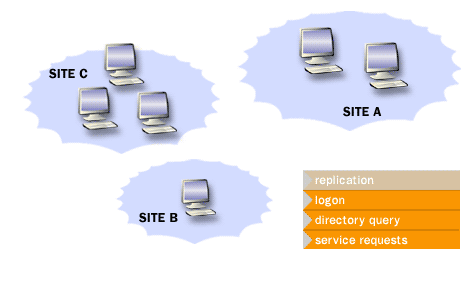
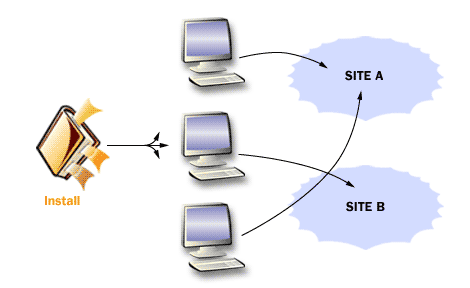
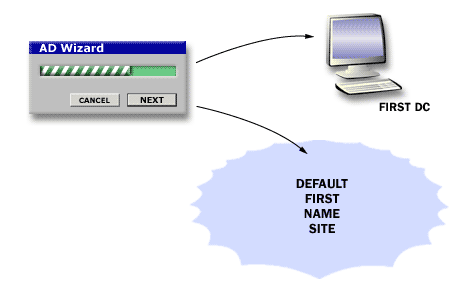
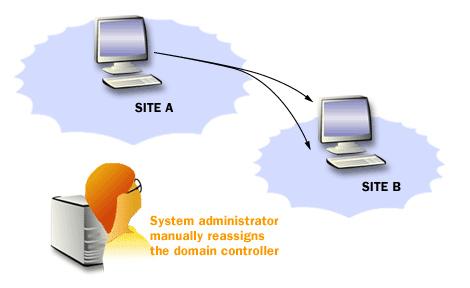
The physical structure centers on domain controllers and sites. Domain controllers host the AD database and provide authentication and directory services. Sites group “well-connected” IP subnets and guide client DC selection and replication topology.
The following images summarize how domain controllers relate to sites, replication, and client service location.
Active Directory Structure
It’s easy to mix terms here, so keep this mental model:
- Directory data (objects and attributes) is stored in the AD database hosted on domain controllers and replicated to other DCs.
- Physical structure (sites, subnets, site links, and DC placement) controls how efficiently that data and authentication traffic moves across your network.
In other words: domain controllers store directory information, but “physical structure” is not a separate database of objects—it’s the topology and configuration that determines where clients authenticate and how replication converges.
Understanding Domain-Level Policies
Some security settings are scoped at the domain level and are intended to apply consistently to domain accounts. Historically, password and lockout settings were strictly “one set per domain.” In modern AD DS, this is more flexible:
- Default domain password/lockout policy is still defined in the domain and applies broadly.
- Fine-Grained Password Policies (FGPP) allow multiple password and lockout policies within a single domain by targeting users or groups.
- Kerberos policy remains domain-scoped for domain accounts, and overall authentication behavior is still strongly influenced by domain configuration.
Design implication: you usually don’t create extra domains just to support different password policies. Instead, use FGPP where appropriate, and reserve additional domains/forests for genuine administrative boundaries, isolation requirements, or namespace constraints.
Note About Replication
AD DS uses multi-master replication: changes can be made on any writable domain controller and then replicated to other DCs. Replication ensures that directory information is available across the environment, but convergence is not instantaneous—site links, schedules, and replication health all affect how quickly changes spread.
For some logon scenarios, specific role holders matter. For example, the PDC Emulator plays a special role in time synchronization, password change referrals, and certain account-lockout behaviors—so physical placement and connectivity to role holders can impact user experience.
Using Active Directory to Manage Replication
Sites and subnets let you shape replication and client authentication behavior using your real network topology. With correct site design, AD can keep replication traffic efficient across WAN links while still providing timely directory convergence.
The Advantages of Multi-Master Replication
Multi-master replication reduces single points of administration and supports resilience: you can make directory changes on multiple DCs, and the system propagates those changes according to the replication topology. The details and operational advantages are covered in the supporting lesson linked below.
Multimaster Replication Advantages.
In the next lesson, we will discuss how to use sites and subnets to manage network traffic.